RepairTracker
A downloadable RepairTracker for Windows
RepairTracker is a standalone, dark-themed desktop application built for computer repair shops, independent technicians, and IT service benches. It gives you a clean, unified workspace to track active repair tickets, look up customer history, manage a live component inventory, and calculate automated job profitability—all from a single native interface.
KEY FEATURES
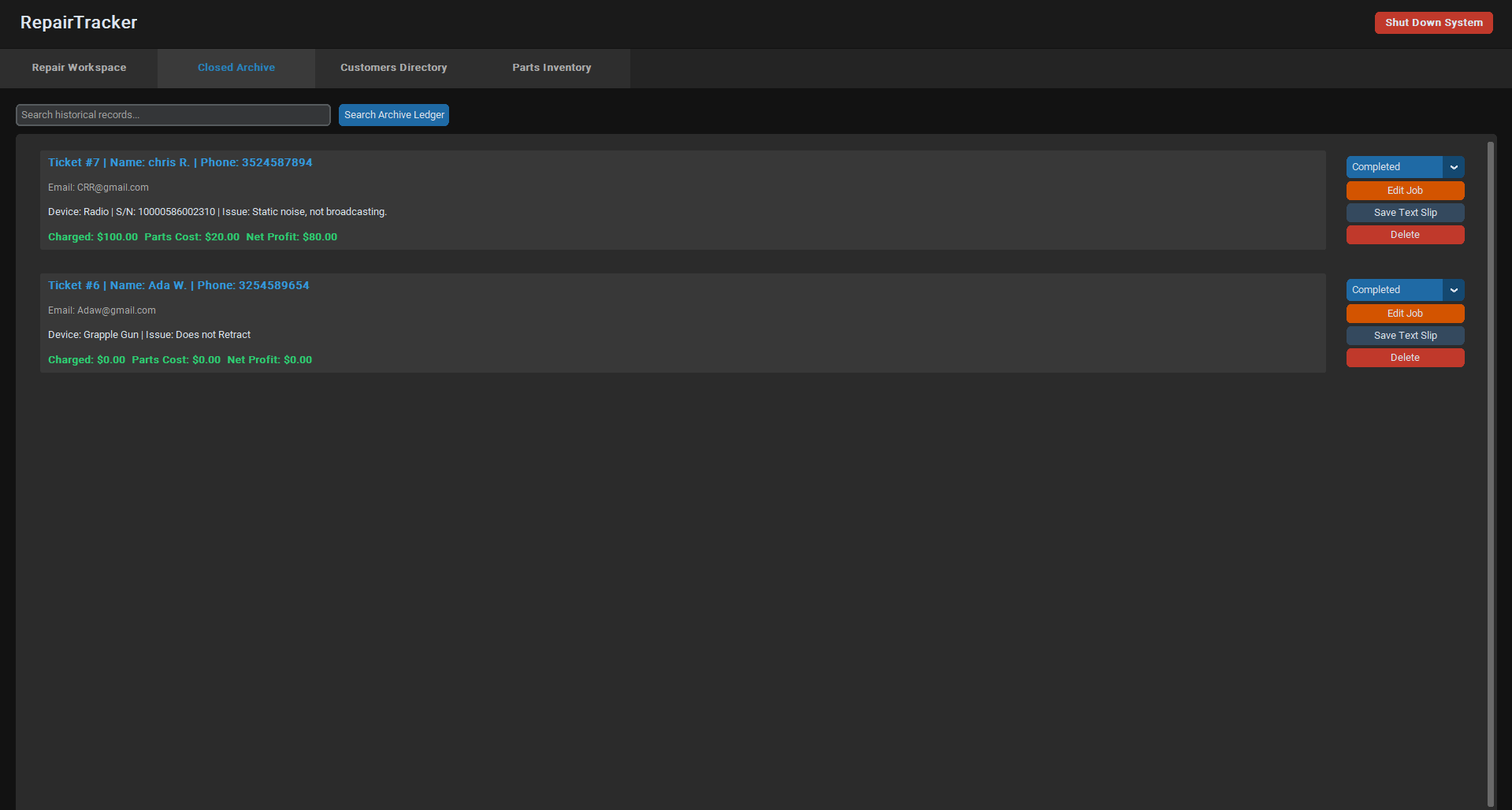
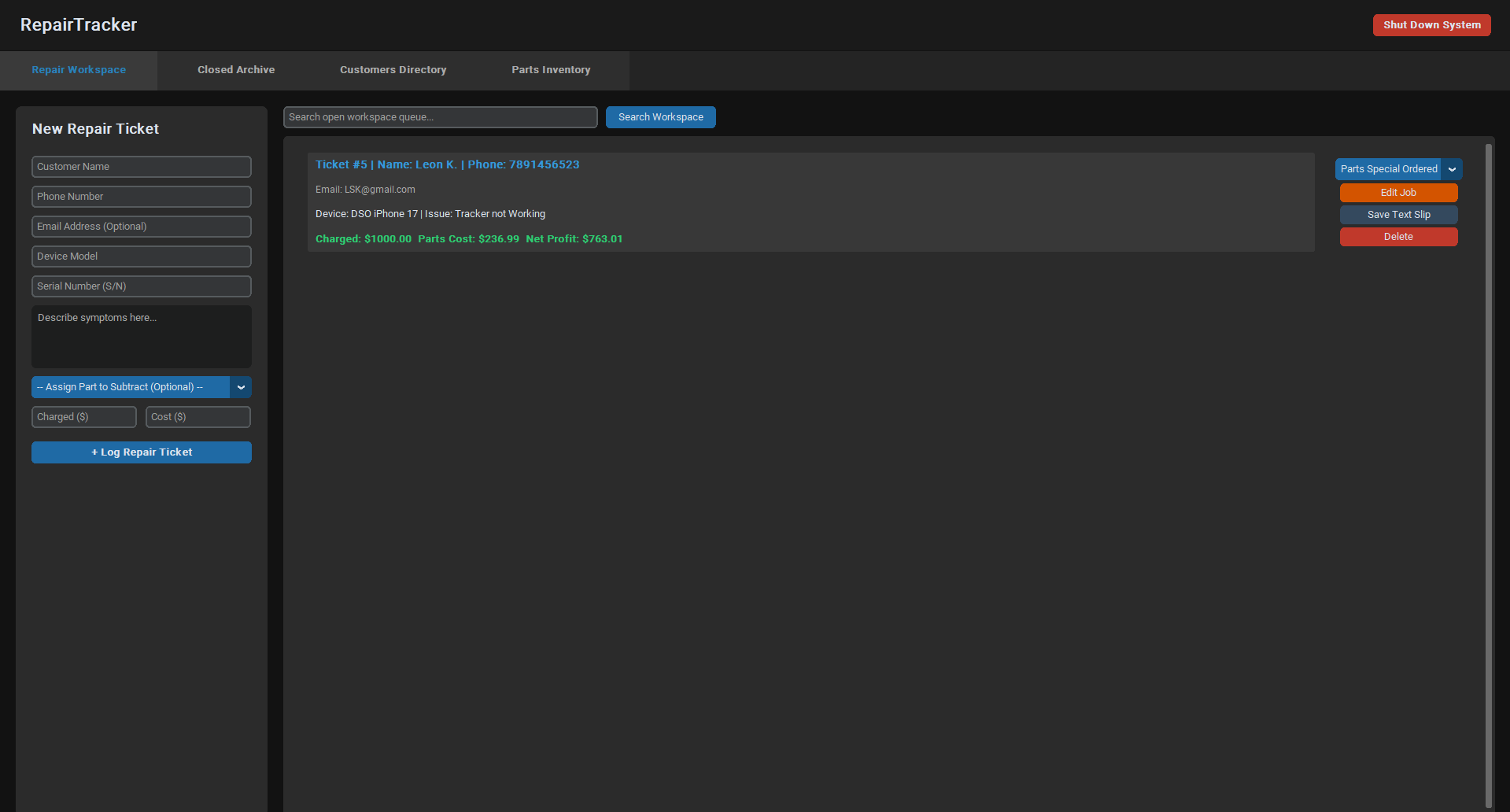
Live Active Workspace: View, modify, search, and update progress states for all open customer repair orders.
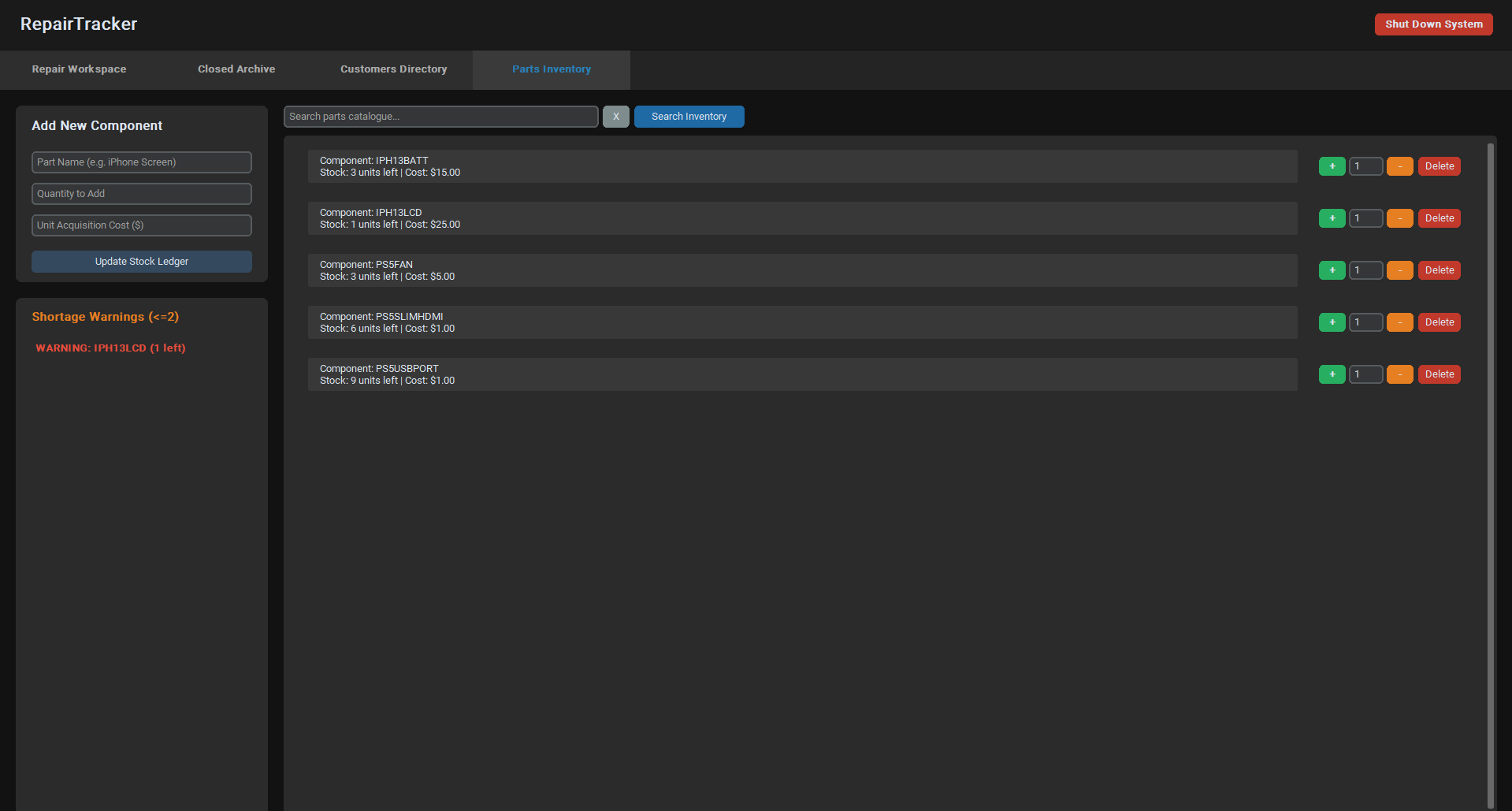
Parts & Inventory Ledger: Add hardware components, track acquisition costs, and receive automated Low Stock Warnings when a part hits 2 units or fewer.
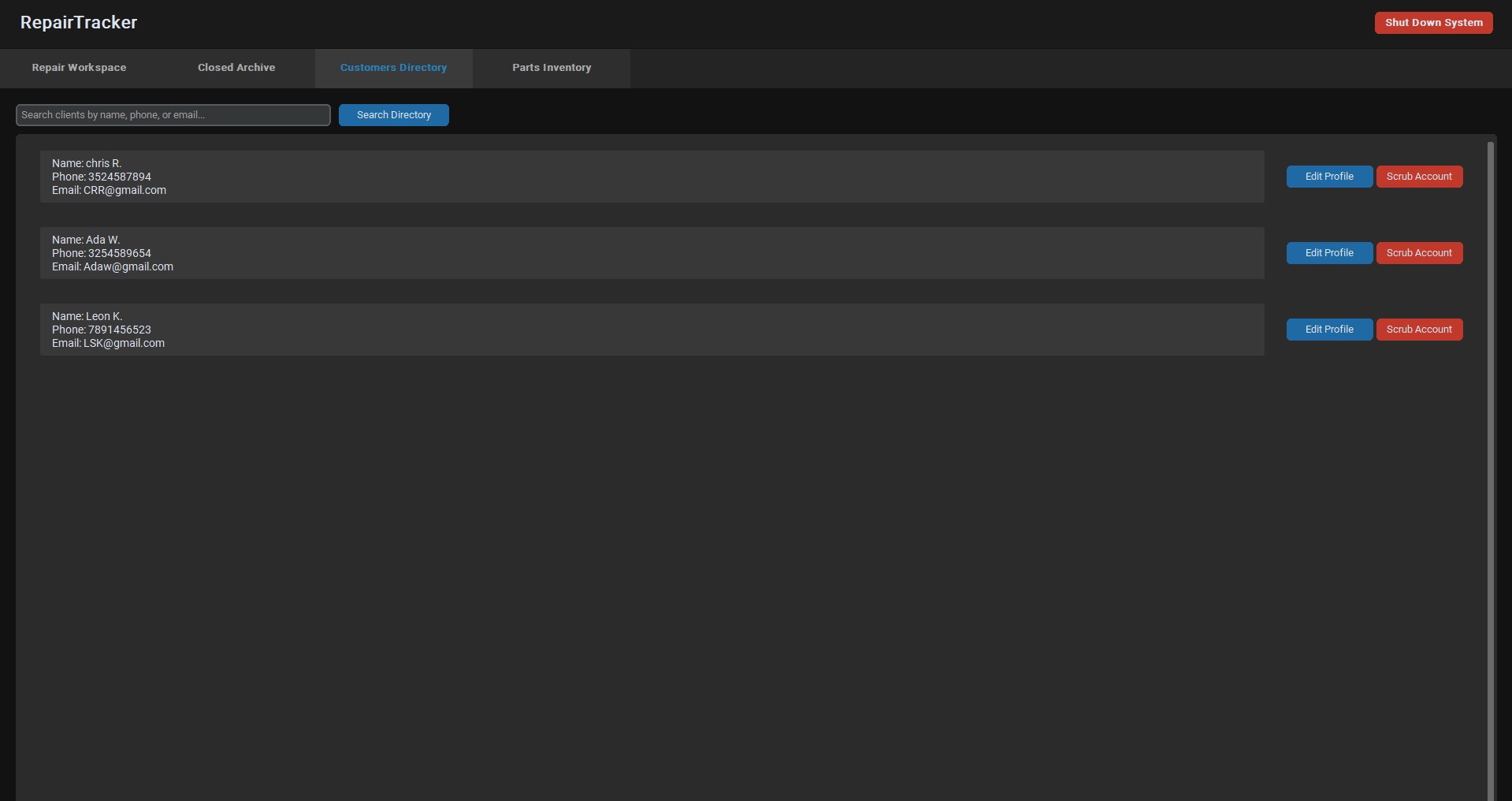
Client Directory Search: Automatically extracts customer profiles to let you modify client details or safely wipe data via the database account scrubbing feature.
Automated Bookkeeping: Instantly calculates your Net Profit on every ticket by tracking customer fees against backend part usage costs.
Instant Text Receipts: Generate printable plaintext intake sheets and customer invoice receipts directly from the dashboard panel.
100% Local and Private: No cloud syncing, trackers, or hidden database connections. Everything is saved safely in a lightweight local repairs.db file in your application folder.
How to Use RepairTracker
Logging a New Repair Ticket
- Navigate to the Repair Workspace tab.
- On the left sidebar panel, fill out the customer's Name, Phone, and Device Model details.
- Add an optional Email or Device Serial Number for better device tracking.
- Use the Assign Part to Subtract drop-down menu to pick a linked component from your parts repository.
- The app will automatically deduct exactly one unit from your stock ledger when the ticket is successfully generated.
- Fill out the Charged and Cost fields to establish financial margins.
- Click + Log Repair Ticket to save the job to your open repair queue window.
Managing Active Jobs and Status Tracking
- Every job card display shows custom color indicators mapping out your precise net margins.
- Use the embedded status drop-down bar on any item card to quickly transition state tracking loops between: Pending, Parts Special Ordered, In Progress, Ready for Pickup, Completed.
- Moving an open job state to Completed automatically pulls it from your primary workstation view and drops it into the long-term Closed Archive ledger.
- Click Edit Job on any card to update customer metrics, fix entry spelling bugs, or re-adjust billing updates.
Creating Customer Receipts
- Click the Save Text Slip button located on any active ticket card.
- A pop-up preview window will format a clean ASCII text layout containing shop banners, device IDs, technician logs, and final totals.
- Type additional internal bench diagnostics or specific checkout records inside the bottom note entry bar.
- Click Export Finished Text File to name and save your plain .txt file anywhere on your hard drive to print out or email over to your customer.
Managing Parts Inventory and Stock Levels
- Head into the Parts Inventory tab view.
- Use the component intake form blocks to register new items (e.g., iPhone 13 Screen, 500GB SSD) along with wholesale purchasing price points.
- If you insert an item that already exists in your records, the database engine skips making duplicates and instead accurately updates existing counts and wholesale pricing.
- Use the simple quick-action + and - button wrappers on any product row asset to make manual stock count alterations right on the fly.
Download
Click download now to get access to the following files:
Leave a comment
Log in with itch.io to leave a comment.